Event webhooks
Event webhooks send a signed message to your own tools the moment something happens in your agency: a client’s calls stop, a payment goes overdue, a provider key fails, a campaign finishes. Point them at a webhook trigger in n8n, Zapier or Make, or your own server, and act straight away instead of checking.
Webhooks push events to you. To ask about your agency or make changes from an automation, use an access token with the MCP server. Many workflows use both: a webhook starts the workflow, and the token lets it look up the details.
Add an endpoint
Section titled “Add an endpoint”The agency owner adds and changes endpoints. Admins can see them.
-
Open Settings, then Webhooks.
-
Under Add an endpoint, paste the Endpoint URL: an HTTPS address on the public internet, such as a webhook trigger in n8n, Zapier or Make.
-
Tick the Events to send there (below), then select Add endpoint.
-
Copy the signing secret when it’s shown. It’s shown once. Your receiver uses it to check each event came from Voice AI Portal.
-
Send a test event from the endpoint, and check your tool received it.
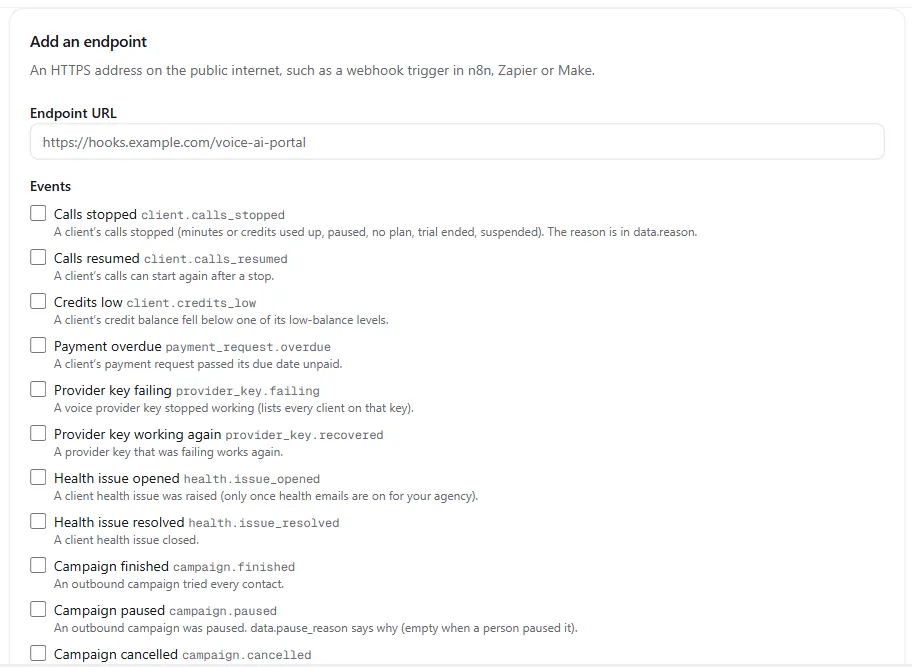
You can have up to 5 endpoints. Each has its own signing secret and only the events you choose.
The events
Section titled “The events”| Event | Type | When it’s sent |
|---|---|---|
| Calls stopped | client. |
A client’s calls stopped (minutes or credits used up, paused, no plan, trial ended, suspended). The reason is in data.reason |
| Calls resumed | client. |
A client’s calls can start again after a stop |
| Credits low | client. |
A client’s credit balance fell below one of its low-balance levels |
| Payment overdue | payment_ |
A client’s payment request passed its due date unpaid |
| Provider key failing | provider_key. |
A voice provider key stopped working (lists every client on that key) |
| Provider key working again | provider_ |
A provider key that was failing works again |
| Health issue opened | health. |
A client health issue was raised (only once health emails are on for your agency) |
| Health issue resolved | health. |
A client health issue closed |
| Campaign finished | campaign. |
An outbound campaign tried every contact |
| Campaign paused | campaign. |
An outbound campaign was paused. data. says why (empty when a person paused it) |
| Campaign cancelled | campaign. |
An outbound campaign was cancelled |
What your endpoint receives
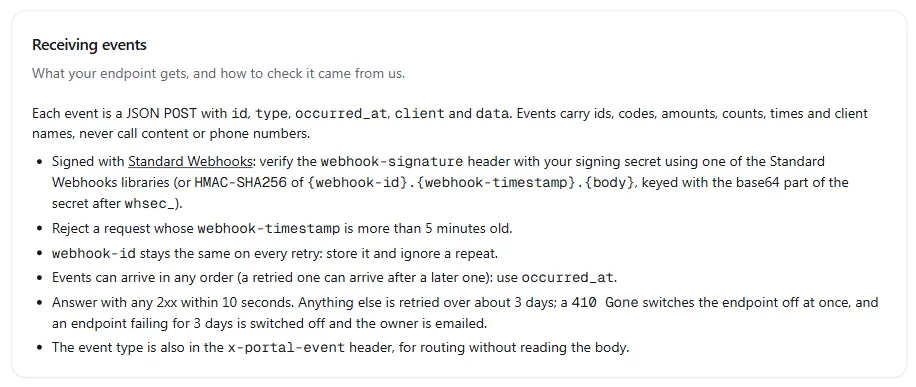
Section titled “What your endpoint receives”Each event is a JSON POST with id, type, occurred_at, client and data. Events carry ids, codes, amounts, counts, times and client names, never call content or phone numbers. The event type is also in the x-portal-event header, so you can route without reading the body.
Check it came from us
Section titled “Check it came from us”Events are signed with Standard Webhooks. Verify the webhook-signature header with your signing secret using one of the Standard Webhooks libraries. Or compute it yourself: HMAC-SHA256 of {webhook-id}.{webhook-timestamp}.{body}, keyed with the base64 part of the secret after whsec_.
Rules for your receiver
Section titled “Rules for your receiver”- Reject old messages: a
webhook-timestampmore than 5 minutes old. - Ignore repeats:
webhook-idstays the same on every retry, so store it and skip one you’ve seen. - Don’t rely on order: a retried event can arrive after a later one. Use
occurred_at. - Answer quickly: any 2xx within 10 seconds. Anything else is retried over about 3 days.
- Switching off: answering
410 Goneswitches the endpoint off at once. An endpoint failing for 3 days is switched off, and the owner is emailed.
Manage endpoints
Section titled “Manage endpoints”On Settings, Webhooks you can switch an endpoint off and on, send a test, rotate its signing secret, resend a delivery, or delete it. Recent deliveries shows the last 50 events sent, with the status code your endpoint answered (never its reply).
When you rotate a secret, you get a new one straight away, and for the next 24 hours every delivery is signed with both the new and the old secret. That gives you a day to update your receiver.